New Year Offer Use Code QWIK10 to Get 10% OFF on all eSIM plans above 1GB - limited-time offer!
Go Back


Thailand
Choose A Data Plan
1GB
5 Days
2.99
3GB
30 Days
5.99
5GB
30 Days
7.99
10GB
30 Days
11.99
20GB
30 Days
20.99
Details
- Plan activation: Automatic, when you arrive at your first destination (as long as you’ve turned on your eSIM in the device’s settings and enabled roaming).
- Plan duration: Depends on the plan, either 7 or 30 days.
- Data plans: From 1 GB to 20 GB.
- Delivery time: Right after purchase.
- SMS: Not available
- Calls: Not available
- Speed: 3G/4G/LTE/5G, depending on local network providers.
- Coverage: Enjoy reliable internet access in various cities across Thailand. Please note that coverage quality will depend on local network providers.
QWIK eSIM for Thailand: Enjoy Seamless Connectivity
Landed in Thailand? Excited to explore the stunning beaches and ancient temples and capture beautiful lifetime memories. But, oh no! There's no connectivity, no internet, no maps, and also you cannot share your beautiful moments on social media. Panic mode on. Stress less. Because all things will happen only if you have no connectivity.
But if you have seamless internet connectivity, then you can share your memories on social media and connect with loved ones without any hassle. This is possible with eSIM. eSIM is your travel companion for uninterrupted connectivity.
The first question in your mind will What is eSIM? An eSIM, or embedded SIM, is a digital SIM card built directly into a device. The eSIM is the same as the physical SIM, but instead of physically inserting it into our mobile, the SIM is directly embedded in your mobile motherboard. A physical SIM card takes up to 24 hours for activation, but an eSIM can be activated in just a few seconds.
No more hunting for a local SIM card provider. Because QWIK eSIM cards are just a click away. QWIK is a reliable global eSIM provider. Qwik provides reliable, affordable, and user-friendly eSIM solutions that enable travelers, businesses, and global citizens to stay connected effortlessly
Just activate your Thailand travel eSIM and upload your beautiful selfies without any interruptions.
Explore Thailand and Enjoy Seamless Data Connectivity
Thailand is well known for its stunning beaches, vibrant culture, and delicious cuisine. The country is also known for its vibrant nightlife. Thailand offers a diverse and vibrant shopping scene, from bustling street markets to luxury malls.
Thailand is a popular travel destination where you can create, capture, and share a lot of memories. But to share all this with your loved ones, a stable internet connection is a must. And with eSIM, you can enjoy uninterrupted connectivity, making your moments more enjoyable. If you are planning your trip to Thailand and looking for the best travel eSIM for your Thailand adventure, then QWIK eSIM is just a scan away. It's fast, reliable, and perfect for travelers who want to enjoy online connectivity without any fuss.
Just activate your eSIM before takeoff and enjoy uninterrupted data connectivity as soon as you land.
Why is QWIK eSIM the best choice for Thailand?
Among various options, Qwik stands out for its convenience, ease of use, and cost-effectiveness compared to traditional physical SIM cards. Plus, QWIK offers instant QR code delivery after purchase, allowing you to install the eSIM right away. QWIK eSIM is compatible with all major Androids and iPhones.
QWIK offers flexible and the best eSIM data plans tailored for Thailand. With QWIK eSIM, you won't need to worry about finding a SIM card or running out data connectivity issues. The 24/7 multilingual customer support is always there to resolve all your queries.
Once you activate the QWIK eSIM card, stress less about the connectivity and focus on the most. That is exploring Thailand, capturing memories, and staying connected with your friends and family.
Looking for the best eSIM plan for Thailand.
QWIK offers the cheapest eSIM plans for Thailand with various data allowances, validity periods, and features. QWIK offers the best eSIM with unlimited data for Thailand. If you are someone who requires data for vlogging or business purposes, then you can activate the unlimited plan. If you don't require too much data, then you can opt for the regular plans. QWIK regular data plans range from 1GB to 20 GB.
But if you are in Thailand and don’t want to run out of data, then it’s recommended to activate the 10 GB plan so that you can use apps and upload pictures without running out of data. In case you are running out of data, don’t panic. There is a top-up option available.
How to buy and install a QWIK eSIM
Installing and buying an QWIK eSIM is hassle-free. You just need to follow 4-5 steps, and your eSIM will be activated. eSIM activation does not take much time and is activated within a few minutes. But before installing the eSIM card, make sure you have a stable internet connection.
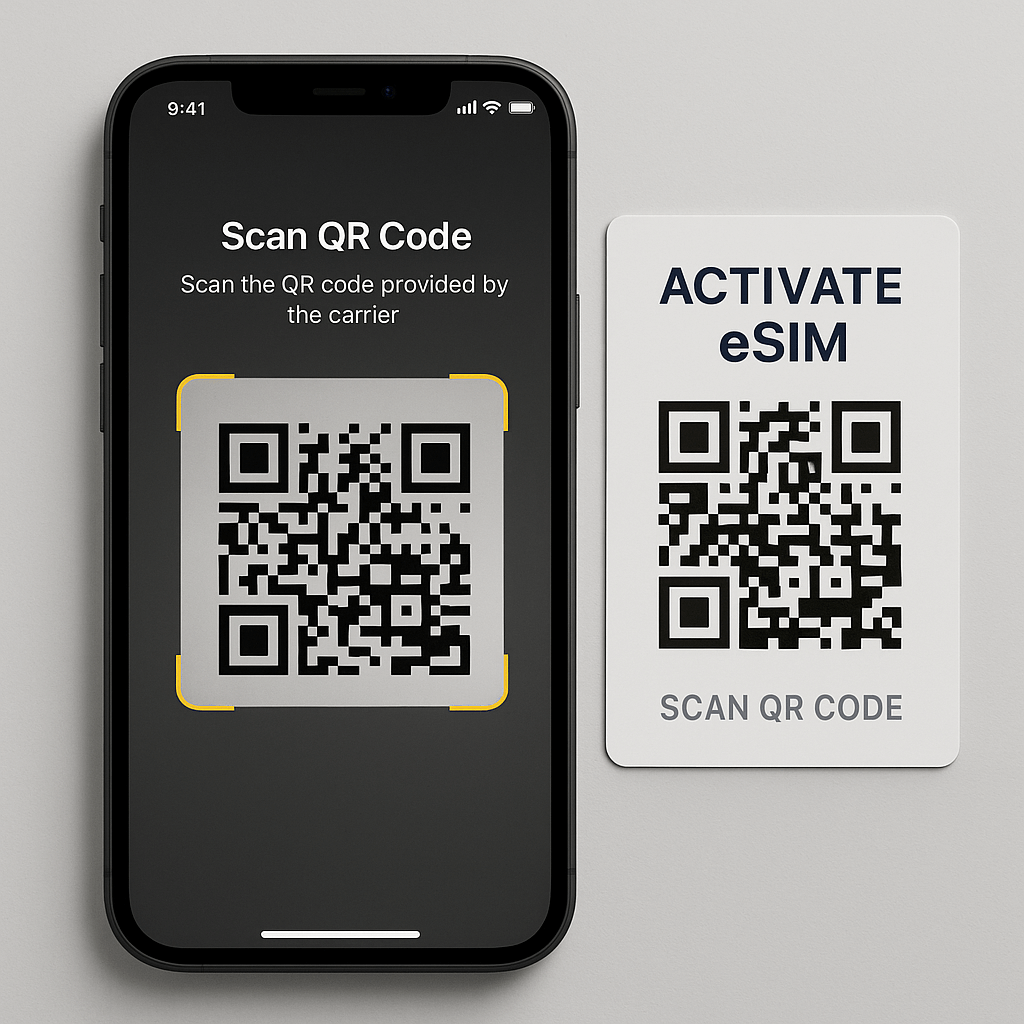
1. Buy a data plan. Search for a destination and pick a data plan.
2. You will get an eSIM QR code via email or app instantly.
3 . Just scan the QR code.
4. Activate your data plan anytime
That's it. Your eSIM is installed.
Note: Installation and activation are two different things. The plan expires only when you activate it; installing your eSIM beforehand will not cause it to expire.
Troubleshooting your eSIM : Quick Fixes
Stuck with a slow connection or facing an issue in the activation? Don’t panic. Just follow a few troubleshooting steps. Don’t worry. For this you do not require any technical knowledge. Restart your device. If your QR code is not scanning, check your phone compatibility first. Make sure that your phone software is up to date. Make sure you have a stable internet connection. Make sure that your phone is not in airplane mode.
Even after following all these basic steps, the issue still persists. Then you can connect with customer support at https://help.qwik.world/
Why prefer an eSIM for Thailand?
No more hunting for a local SIM card provider. No more struggling for connectivity. Sounds good, right? This is exactly what eSIM offers.
1. Easy activation. Just purchase the data plan. Scan the QR code and within few seconds the eSIM will be activated.
2. Also, if you use the physical SIM in Thailand, then the roaming charges are too high and that will empty your pockets. But with eSIM activation, you can avoid those hefty roaming charges.
3. No need to worry about the connectivity. As soon as you land at the Thailand airport, your eSIM will start working.
4. eSIM is more secure compared to a physical SIM card. There is no risk of physical theft.
So why wait? Make your Thailand trip smooth and stress-free. Buy an eSIM for Thailand and enjoy the connectivity. Just land, connect, and explore.
Is your device compatible with eSIM? Here’s how to check
Before you purchase an eSIM, always make sure to check the device compatibility. Many newer models are eSIM compatible. To check the compatibility, just open your phone settings, click on Cellular, and if you see the ‘Add eSIM option, then you are good to go. Don’t worry if you are unsure. Just check out here . Here you will find the detailed list of all the devices. If the device is compatible, just purchase the plan and activate your eSIM card.
Stay Connected Always : QWIK Your Ultimate eSIM Solution
With QWIK you can explore Thailand without data limits or roaming charges. Activate eSIM before your trip and enjoy fast and reliable connectivity. From sharing your unforgettable memories to connecting with your loved ones, Qwik keeps you connected so that you never miss anything. Buy your QWIK eSIM for Thailand today and enjoy seamless connectivity throughout the journey
Frequently Asked Questions
How It Works
You can buy and install the eSIM now but only activate/start it when you need it. Ensure that you activate your plan within 30 days of the purchase date. If not activated within this period, it will automatically activate and start the expiry countdown.
1. Buy A Data Plan
Search destination and pick a data plan
2. Install eSIM
Easy installation via QR code

3. Start Your Plan
Activate your data plan anytime
Why you should always have a QWIK eSIM for Thailand ?
Instant Global Connectivity
QWIK eSIM lets you connect to networks in 190+ countries without needing a physical SIM card or local carrier. Use QWIK eSIM for data, maximising flexibility and cost-efficiency.
No More Roaming Charges
Avoid high international roaming fees by switching to local or regional data plans through the QWIK eSIM app. Get strong, stable connections wherever you go.
Switch Plans Anytime
Easily change or top up data plans on the go, directly from your phone—no need to visit stores or swap SIMs.
Quick Setup and Activation
Activate your data plan in minutes through the QWIK app—no waiting, no paperwork.
Travel-Ready and Eco-Friendly
Perfect for frequent travelers; reduces plastic waste by eliminating the need for physical SIM cards.
Security on the Move
Stay connected through secure, direct mobile data instead of relying on risky public Wi-Fi networks.
Experiencing Issues with Your eSIM? Here's How to Troubleshoot
If you're having trouble scanning your eSIM QR code or facing connectivity issues, there's no need to worry. Follow these simple troubleshooting steps to resolve common problems:
1. Restart Your Device
A basic restart often resolves most connectivity-related issues by refreshing the device’s network settings.
2. QR Code Not Scanning?
- Ensure the QR code is clear, not blurry, and displayed at an appropriate size.
- Verify that your device’s operating system is up to date.
- Make sure your Wi-Fi connection is stable and active.
- Restart your device and attempt to scan the QR code again.
- Resolution: Try printing the QR code or viewing it on another screen if the original appears distorted.
3. Reset the Network Connection
Turn airplane mode on for a few seconds, then turn it off. This can help refresh the eSIM network connection.
If you've completed all the steps above and are still experiencing issues, please reach out to our customer support team for further assistance: